
Digital timesheets your crew will actually enjoy using.
Log hours by project, submit once a week, and keep payroll and approvals in one clean workflow.
How Timesheets Work
Swipe to view steps →
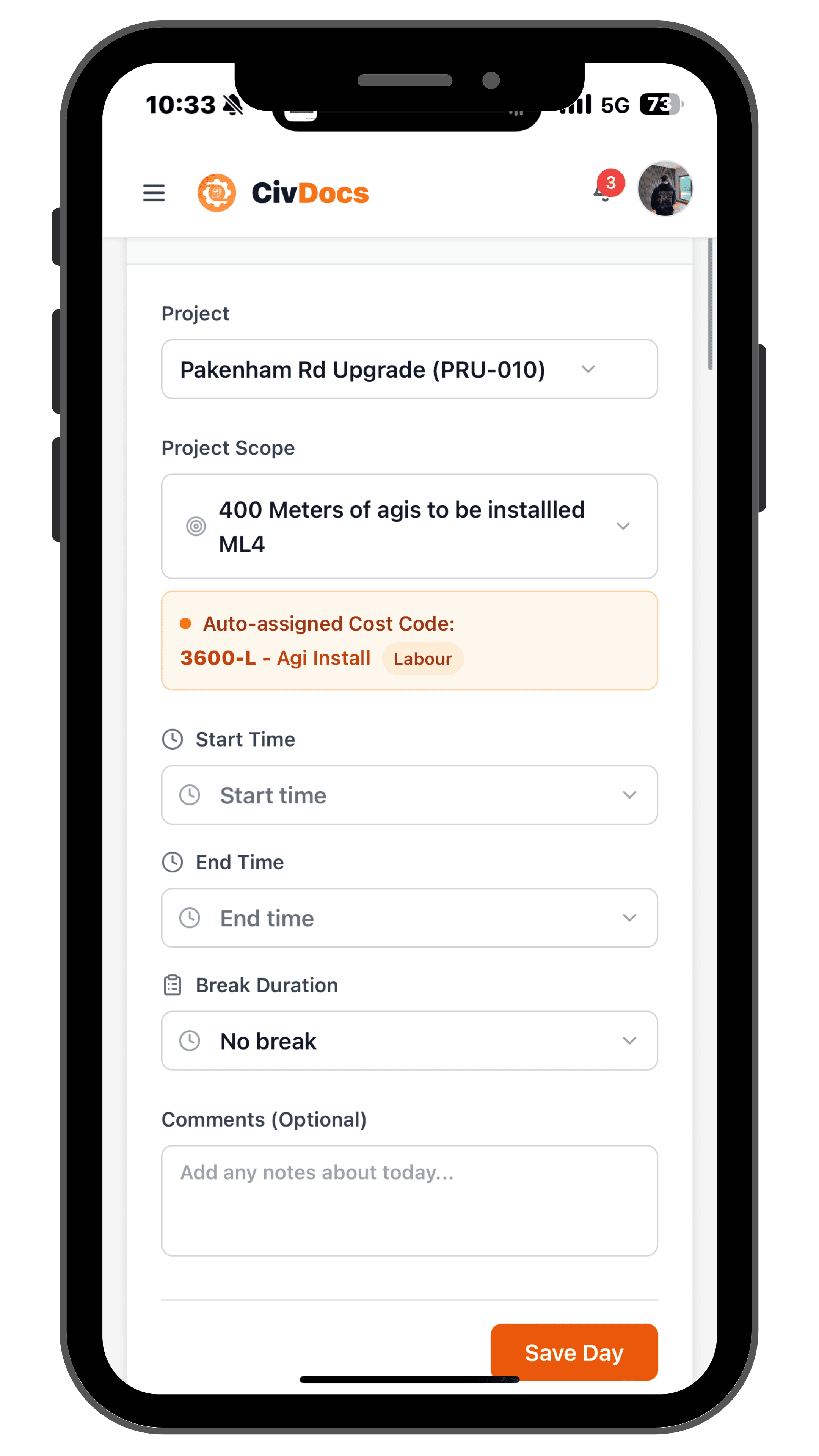
Select project & scope
Pick the project and scope you worked on so every hour is linked back to the right job.
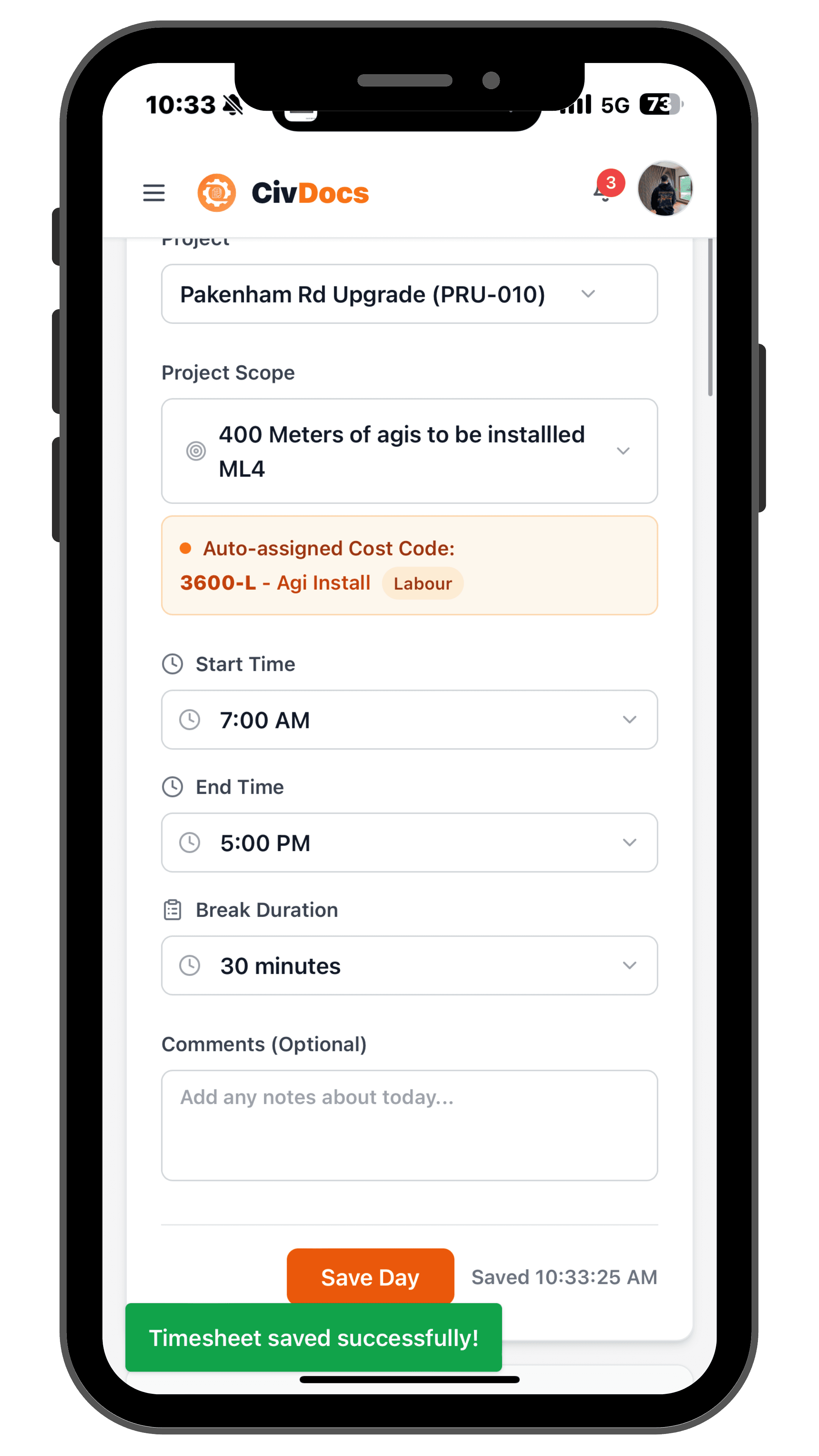
Add start, finish & breaks
Enter your start time, finish time and break — CivDocs calculates the hours for you.
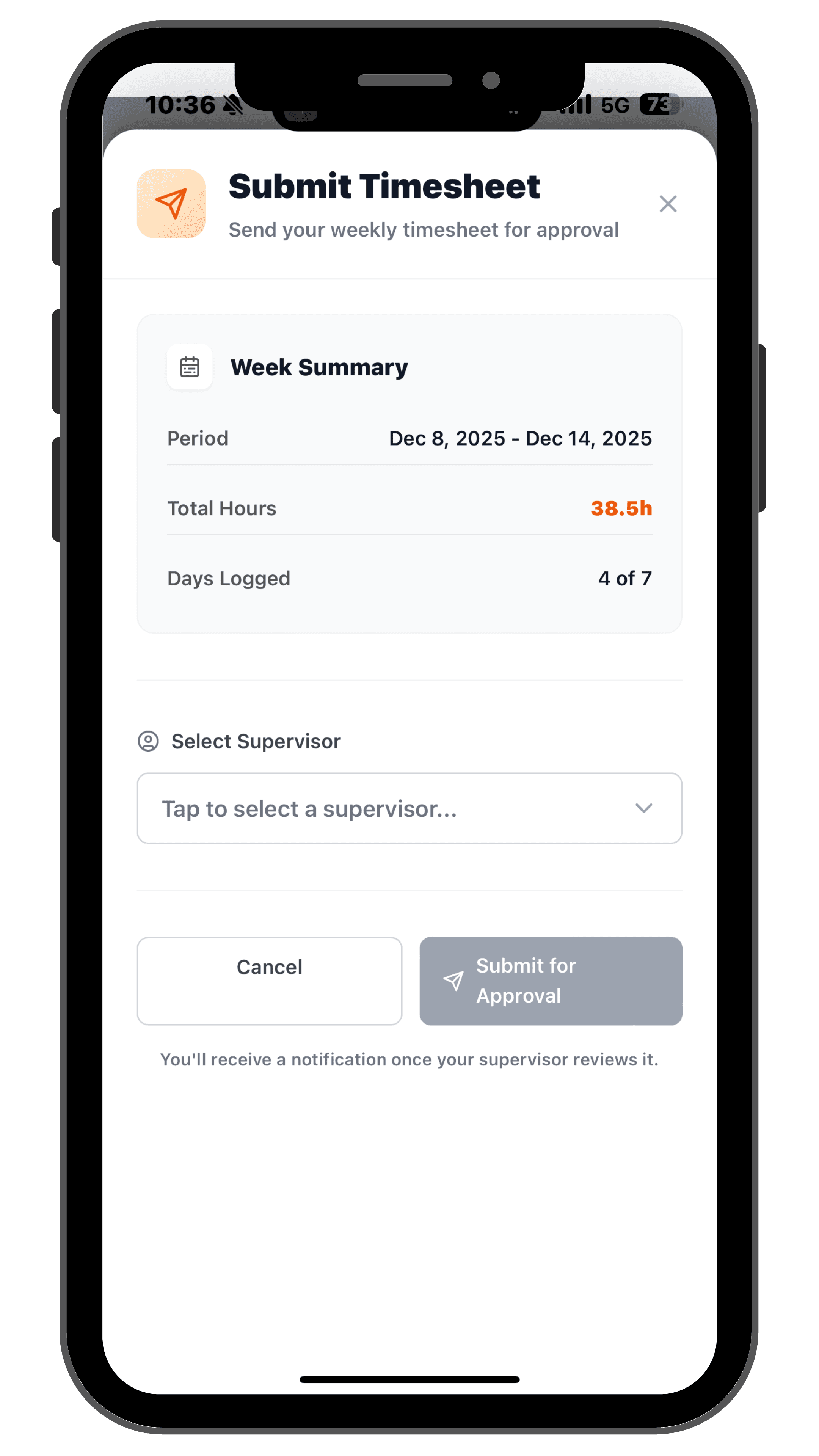
Submit your week for approval
At the end of the week, submit your timesheet to a supervisor instead of chasing signatures on paper.
Select project & scope
Pick the project and scope you worked on so every hour is linked back to the right job.
Add start, finish & breaks
Enter your start time, finish time and break — CivDocs calculates the hours for you.
Submit your week for approval
At the end of the week, submit your timesheet to a supervisor instead of chasing signatures on paper.
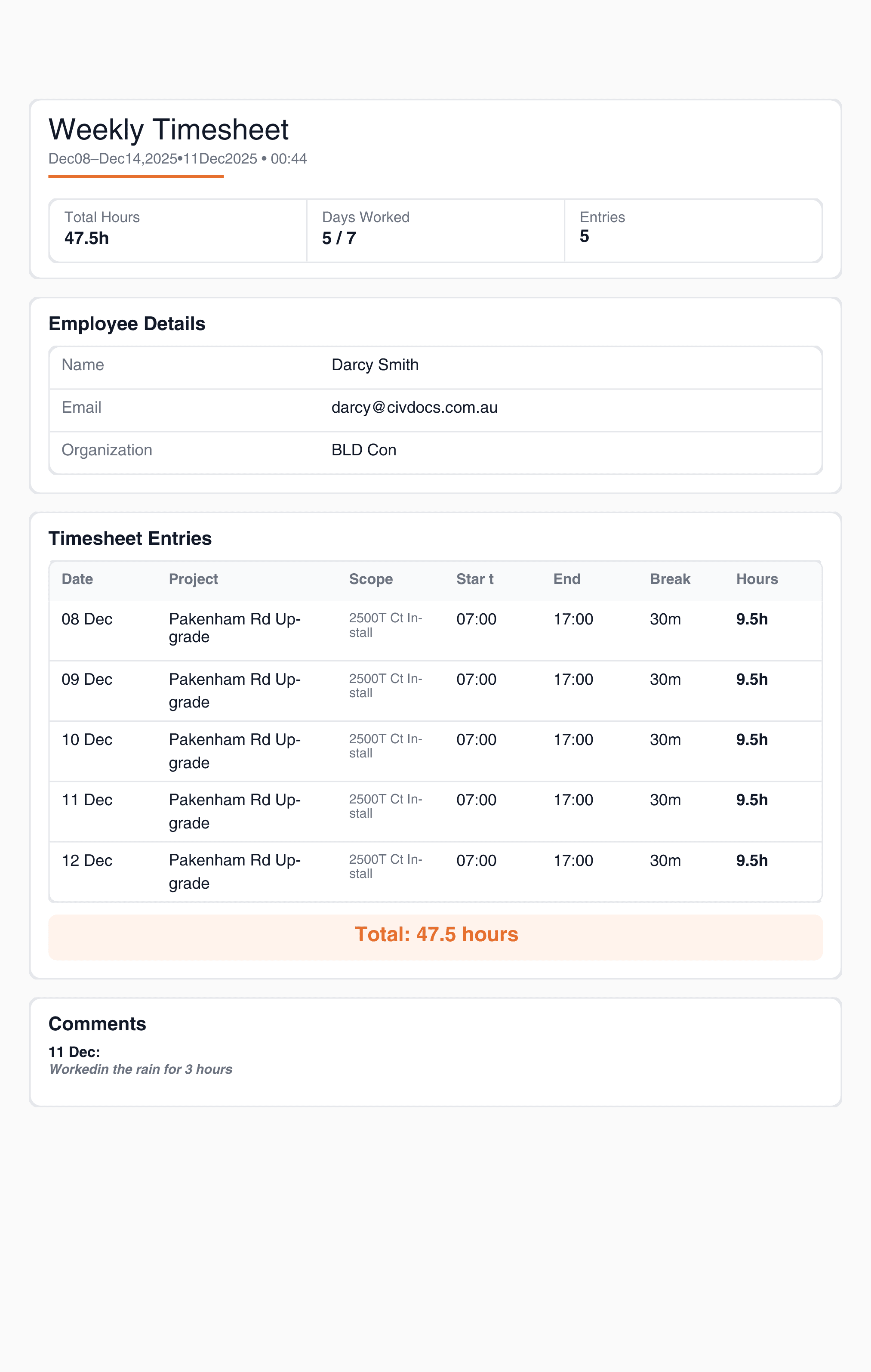
Weekly PDFs built for payroll
Every submitted timesheet generates a clean PDF for that employee's week — ready to send straight to payroll or keep on file.
- One PDF per employee, per week
- Hours broken down by project and scope
- Notes, approvals and leave all captured in one place
Leave requests in the same flow as timesheets
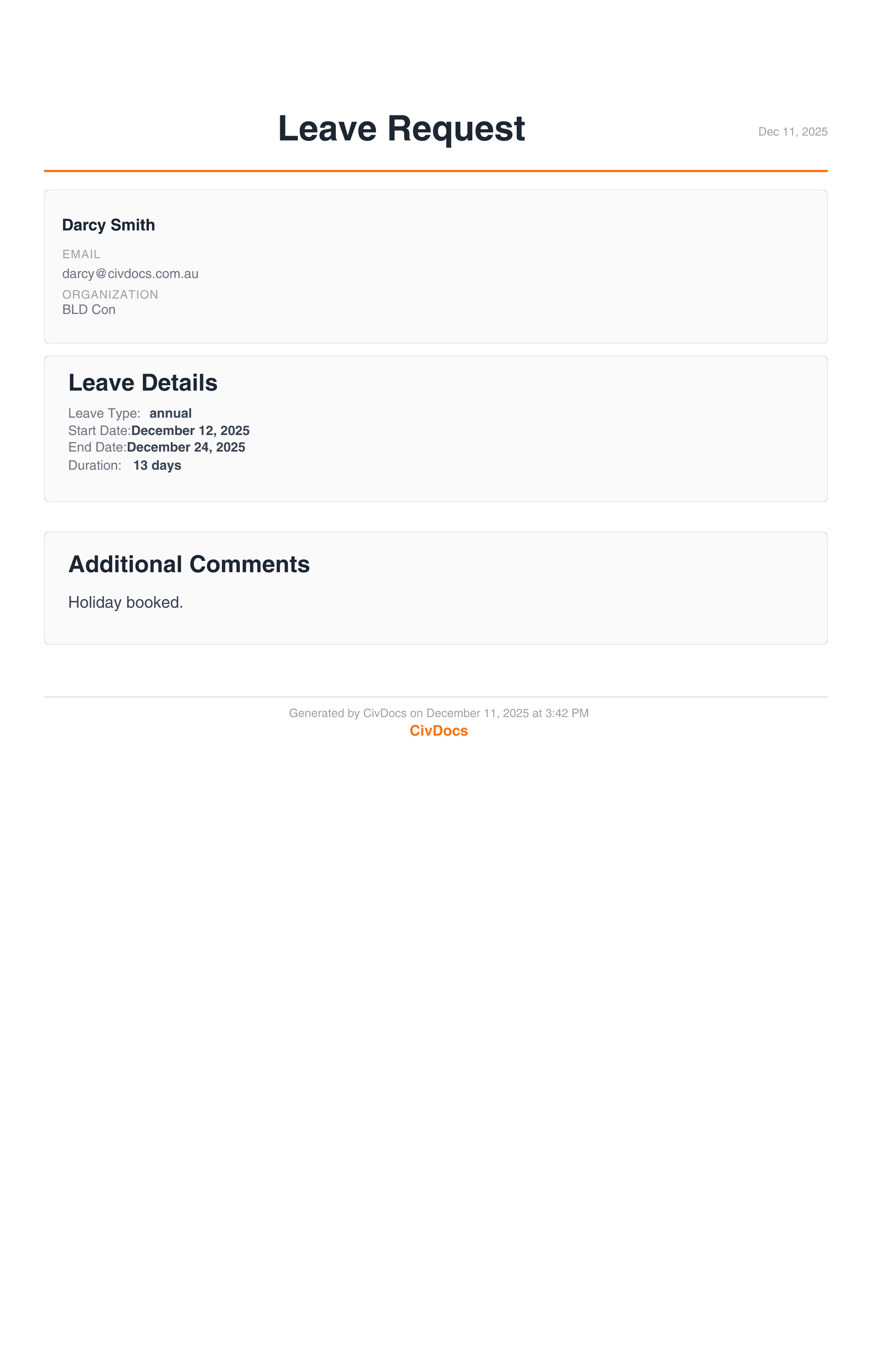
Employees can request annual leave, sick leave or RDOs from the same place they submit their hours, so supervisors see the full picture for the week.
- Select leave type — annual, personal, sick, RDO, LSL or custom
- Choose the date range and add any notes
- Send to a supervisor for approval with one click
- Approved leave is stored with the employee's timesheet history
Supervisor sign-off without chasing paper
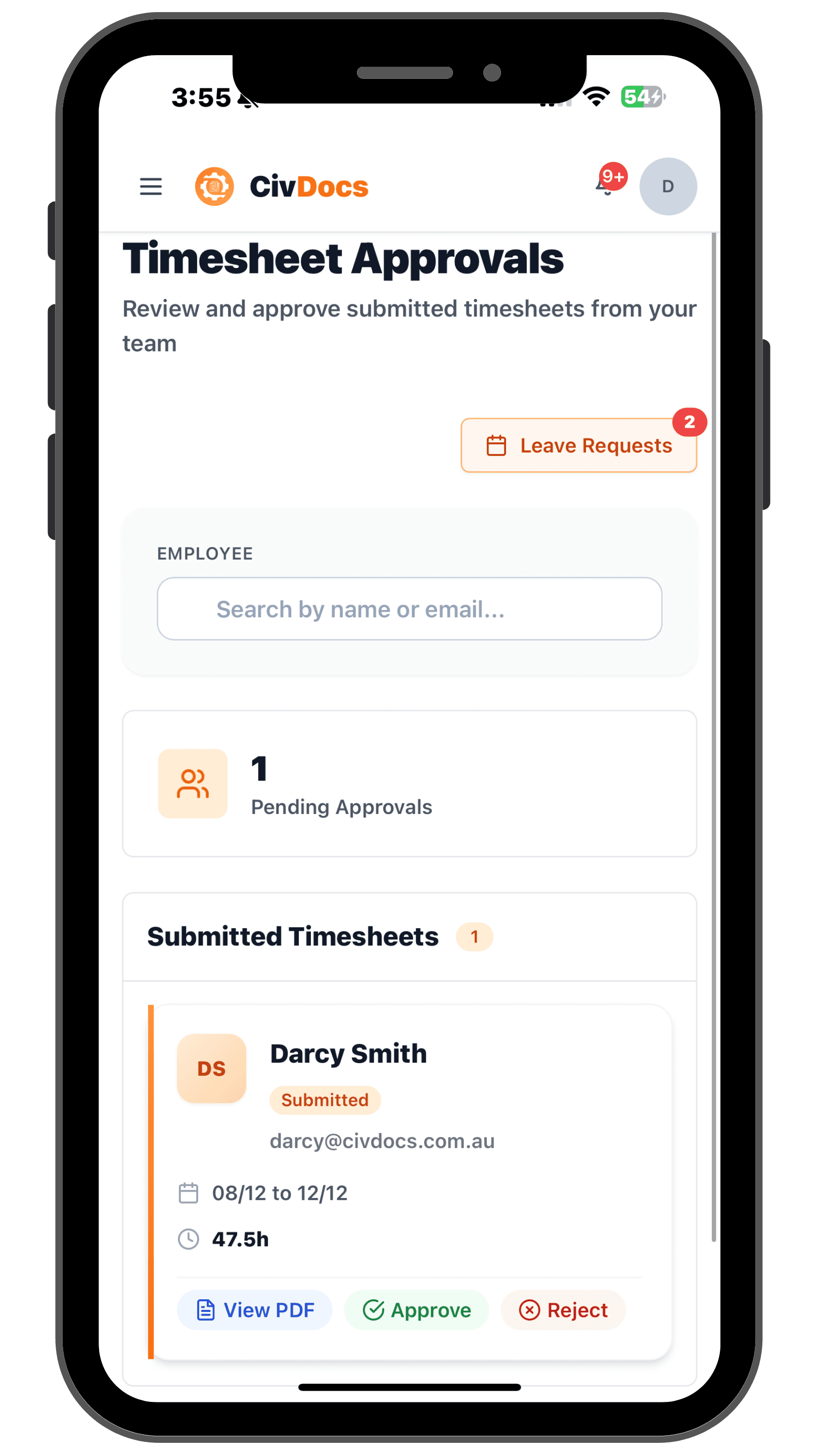
Supervisors get a central queue of submitted timesheets and leave requests, so approvals are quick, consistent and auditable.
- See all pending timesheets by employee and week
- Open a submission, review hours, notes and leave in seconds
- Approve, reject or request changes — with a full history of who signed off and when
- Keep a clean audit trail for payroll, compliance and disputes
Make timesheets and leave take minutes, not hours.
Give your crews a simple way to log their week, and your supervisors a clean way to sign it off — all inside CivDocs.
Get started in minutes