“CivDocs saves us around 30 hours of admin every week — I can spend that time on site instead of stuck behind a desk.”

Ryan
Campbell Earthmoving
“Perfect for tracking UTS/GPS and float movements.”

Reece
Glade Civil
“End of month invoicing takes 20 minutes, not half a day.”

Harry
HLM Earthworks
“I can actually see how many loads my trucks are doing, and invoicing off it is straightforward now.”

Nikola
Jovex Group
“My bookkeeper loves it.”

Jacko
Elev8 Earthworks
“Out of everything we've tried, CivDocs is the best system out there.”

Cirsty
Bono's Excavations
More time at home, or on site.


No spreadsheets. No paper.
Set up in a day.
More time at home, or on site.
No spreadsheets. No paper.
Set up in a day.
“CivDocs saves us around 30 hours of admin every week — I can spend that time on site instead of stuck behind a desk.”
Ryan
Campbell Earthmoving
“Being able to track costs between the earthworks and concrete sides of a project — so I can see exactly where we're making money.”

Riley
RMF Concreting
“Makes it easy to keep track of where I've been working — and makes sure I never forget to invoice hours or attachments.”

Morgan
Fogarty Earthmoving

You do wet hire between different jobs
Track: Machine revenue, Invoicing, Attachments, Floats, etc.
Learn more
You run projects requiring cost tracking
Track: Materials, Project scopes, Prestarts, Timesheets
Learn more“Most software makes contractors change how they work to fit the tool. I built CivDocs to fit the work instead — designed on site, not in a boardroom.”
Darcy Wood
CivDocs Founder
30 Hours
saved weekly
“CivDocs saves us around 30 hours of admin every week — I can spend that time on site instead of stuck behind a desk.”
Ryan
Campbell Earthmoving
20 Minutes
not half a day
“End of month invoicing takes 20 minutes, not half a day.”

Harry
HLM Earthworks
Profitable
job cost clarity
“Being able to track costs between the earthworks and concrete sides of a project — so I can see exactly where we're making money.”
Riley
RMF Concreting
Nothing Missed
invoicing accuracy
“Makes it easy to keep track of where I've been working — and makes sure I never forget to invoice hours or attachments.”
Morgan
Fogarty Earthmoving
Dead Simple
and it stayed that way
“I don't have time to figure out complicated systems between jobs. CivDocs is the one that stuck — dead simple, and it's stayed that way.”
Jacko
Elev8 Earthworks
Here's what that looks like, day to day.
Three tools civil crews actually use, every job.
Assign a job and they're notified instantly — address, map pin, and supervisor contact, all in one text.
 CRANK.AI
CivDocs already captures what's happening on site — pre-starts, timesheets, plant hours, attachments, and invoices.
Crank.ai connects it all and turns that day-to-day data into answers owners and directors actually need — while the job is still running.
Instead of digging through screens, waiting on reports, or exporting data to spreadsheets, you ask a question and get a straight answer backed by your real numbers.
It's the difference between finding problems after the invoice — and seeing them while there's still time to act.
Machine Compliance
Store risk assessments, service history, operator manuals, insurances, and operator tickets against each machine. When an engineer or project manager needs them, send a branded link in seconds — no Dropbox hunting, no email chains.
Your machine library
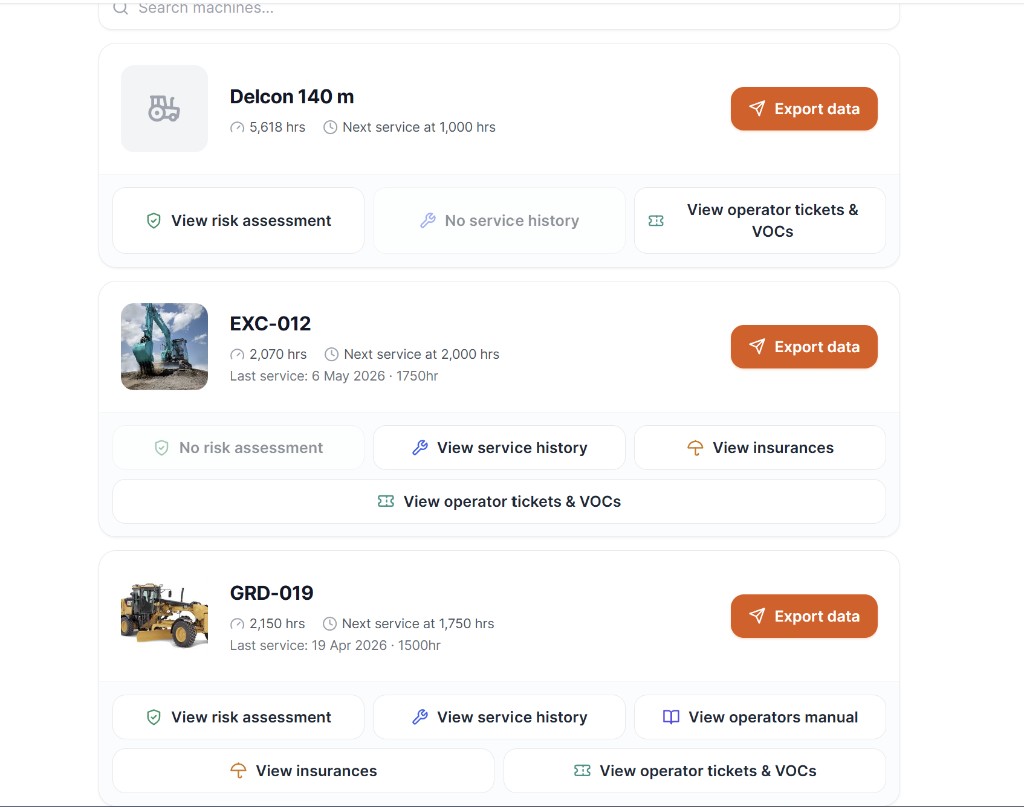
What the recipient sees
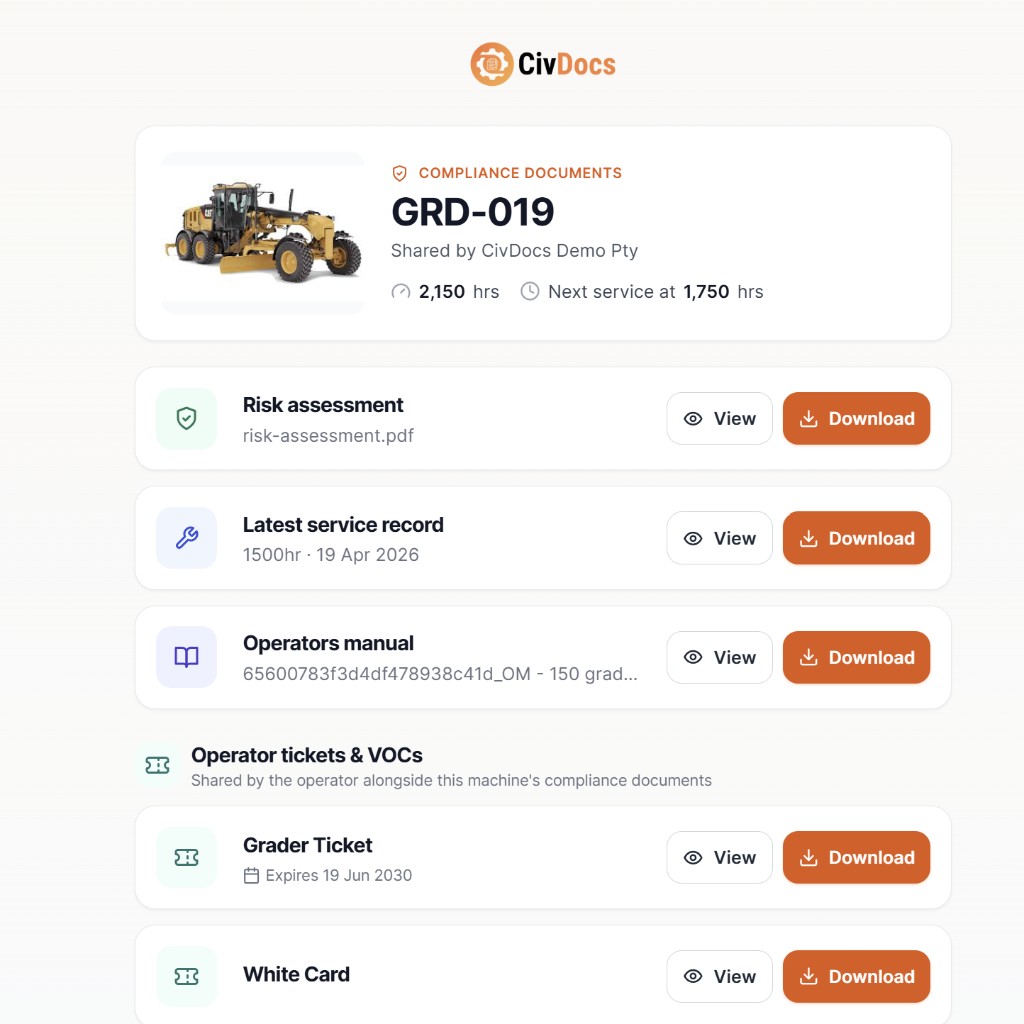
Risk assessments, service history, operator manual, insurances, and operator tickets & VOCs — all attached directly to the machine.
Use the CivDocs free risk assessment generator. Build one in minutes and attach it straight to the machine.
Generate a free risk assessment →Hit "Export data", choose email or SMS, and the recipient gets a link — no CivDocs account needed to view or download.
No more hunting through shared drives to find the right document. It's already there — one link covers everything.
Your client or engineer receives a clean, branded compliance pack with your company name — exactly what Tier One sites expect.
Keep all your compliance documents in one place — ready to share instantly.
Start Free Trial →Site Works
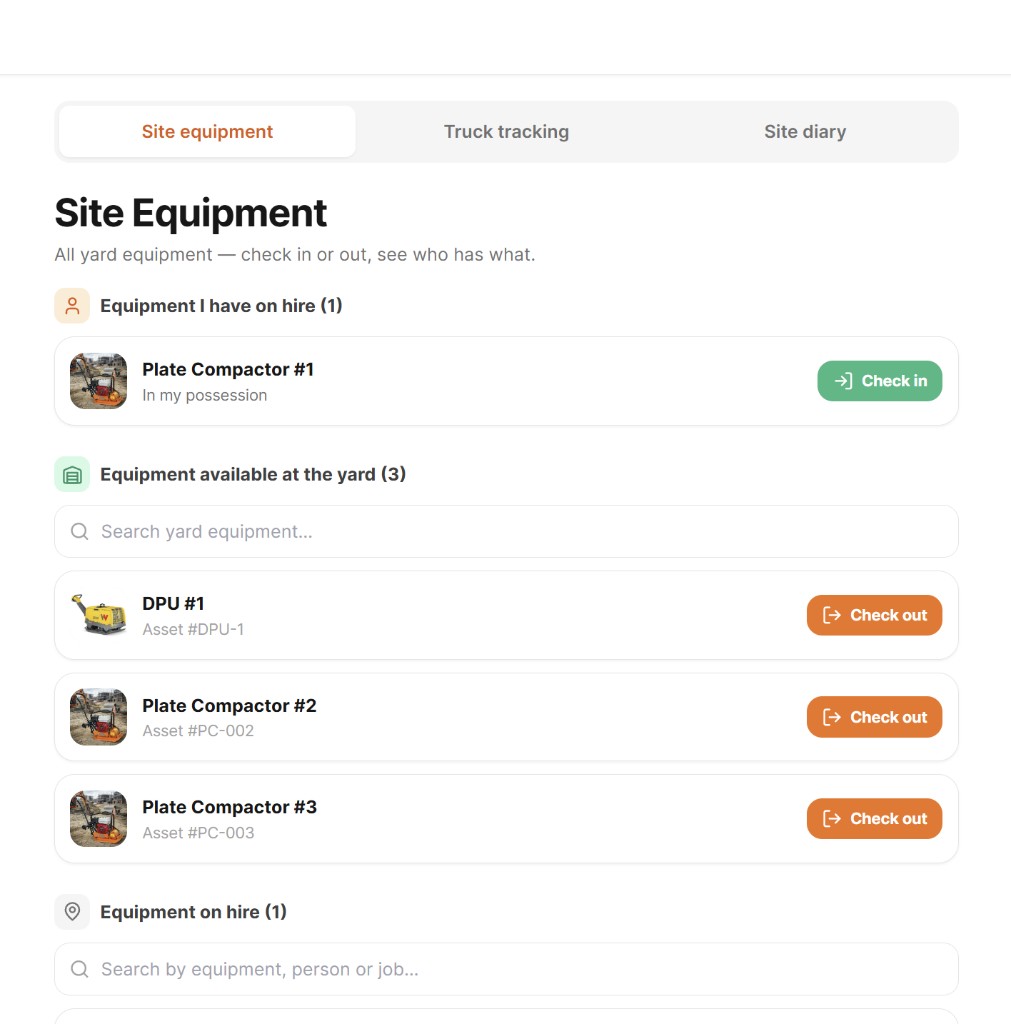
Site equipment, truck loads, and daily notes — all in one place. Your crew can see what's at the yard, log truck movements, and record what happened on site, all from their phone.
Site Equipment
Water trailers, DPUs, demo saws, whacker plates — any small plant your crew shares day to day. Employees check items out to a job or to themselves, and check them back in when done. Everyone can see exactly what's at the yard and who has what, right now.
Truck Tracking
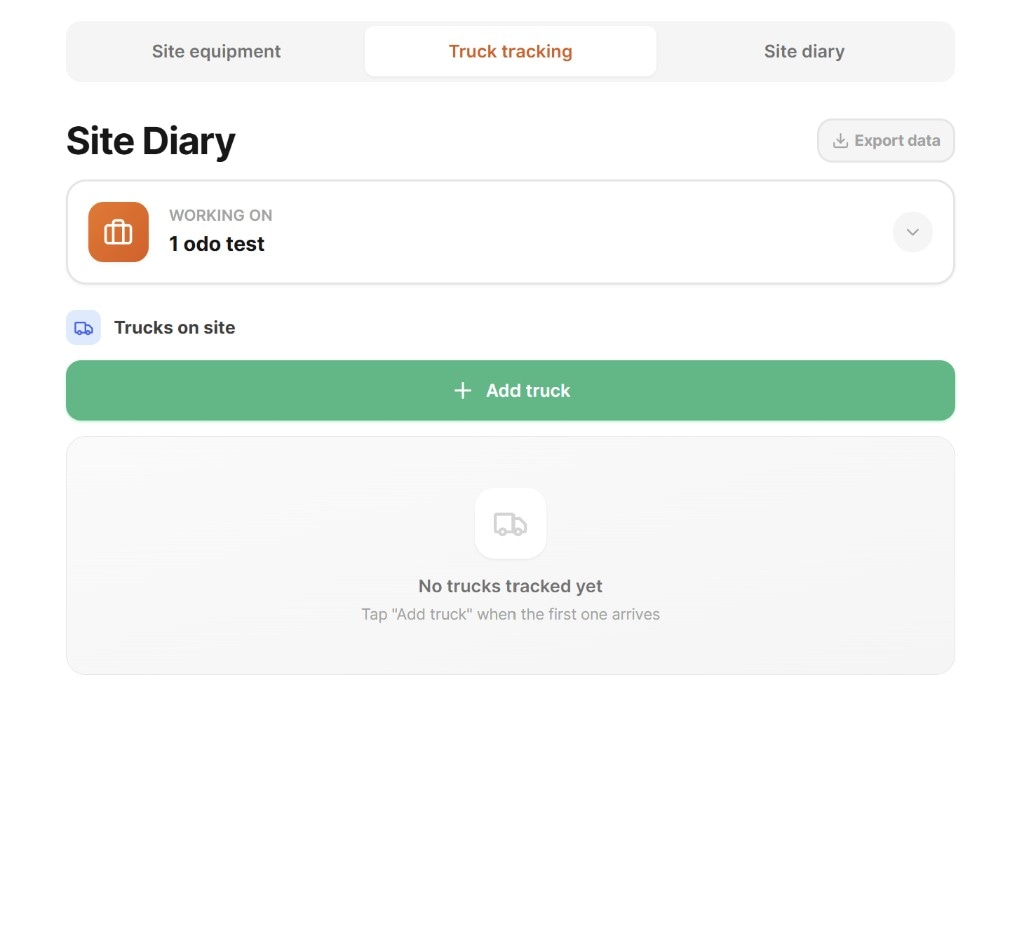
Add a truck by numberplate, select the material, and tap each time a load goes out or tips. At the end of the day, export the load count straight to the supervisor — no trying to remember how many runs were done.
Site Diary
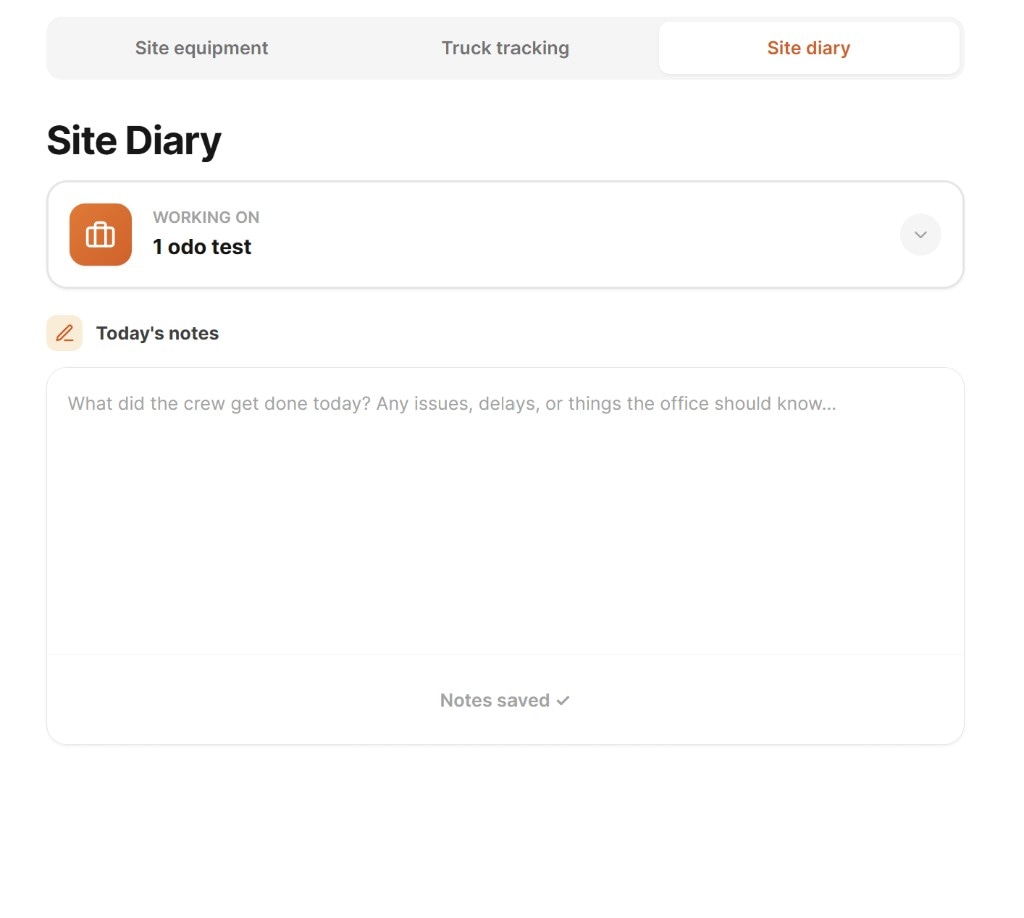
Supervisors and operators can record what the crew got done, any delays, issues, or things the office needs to know — straight from their phone at end of day. No paperwork, no calls back to the office.
See everything happening on your sites — from one app.
Start Free Trial →BUILT FOR CIVIL
Civil projects don't run off neat spreadsheets — they run off machines, crews, hours, and site decisions made every day.
CivDocs is built to match that reality.
It captures what happens on site and turns it into clean, approved data you can actually rely on.
CivDocs connects site activity to real project costs so you can act early — not after it's too late.
Free 15-minute fit check
